Why Lock In?
Two meanings. One mission. Learn why you should use Lock In (the app) and why you need to lock in (the commitment to focus and get things done).
The Story Behind Lock In
How 18 months of development turned personal frustration into a productivity solution
Lock In was inspired by a friend at Swarthmore who tracked focus time manually with a stopwatch and Google Sheets. Simple but effective: start when you work, stop when you break.
The creator, Eli, adopted this method and has been logging every minute of focus time since March 2024.
- 1.Manually logging to spreadsheets was tedious and error-prone
- 2.Phone distractions kept breaking focus—start stopwatch, work 2 minutes, stop to check phone, repeat
- 3.Existing app blocking solutions were either too strict (no bypass at all) or too lenient (iOS Screen Time was too easy to ignore)
After months of dealing with these frustrations, Eli spent 18 months building Lock In to solve all three problems:
Automatic Tracking
Sessions log themselves with built-in analytics. No more spreadsheets or manual timers.
Smart App Blocking
Block distracting apps with conscious friction—you can bypass, but it takes a moment to reconsider. Strike the perfect balance between self-control and strictness.
"That moment of pause helps prevent doomscrolling. If you really need to stop, great! If not, you've given yourself the space to make a better choice."
The Battle Inside Your Brain
The Instant Gratification Monkey
As Tim Urban explains in his viral TED talk, procrastinators have an Instant Gratification Monkey in their brain that hijacks rational decision-making. It wants fun NOW, not later.
The Panic Monster only shows up when deadlines loom. But what about tasks without deadlines? That's where Lock In comes in.
Your Life in Weeks
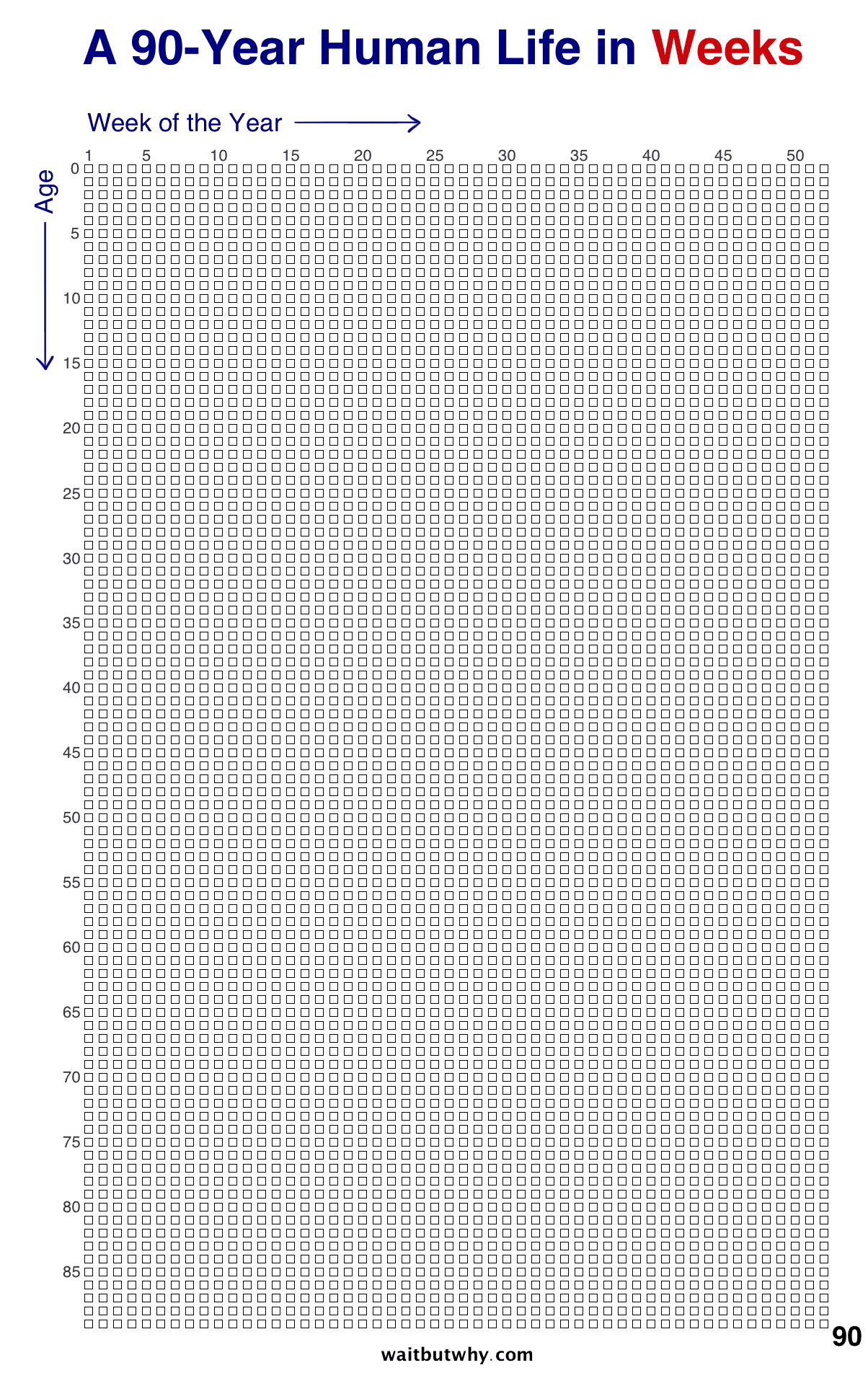
Tim Urban's "Your Life in Weeks" visualization shows a 90-year life as just 4,680 weeks. Each box is one week.
When you see your entire life laid out like this, every week matters. Lock In helps you make the most of each one by creating conscious distance between distraction and action.
Lock In's Solution: Conscious Friction
Lock In creates a deliberate pause between your impulse to check Instagram and actually opening it. The hold-to-unlock delay (configurable seconds) forces you to ask: "Do I really need this right now, or am I just avoiding work?" This conscious distance helps your rational brain override the Instant Gratification Monkey.
What Makes Lock In Different?
Lock In takes the best parts of other focus apps and fixes their biggest problems.
Competitor Problem:
Opal charges $99.99/year. Freedom is $8.99/month. Cold Turkey is $39 lifetime but desktop-only. Most competitors paywall essential features.
Lock In's Promise:
- 100% of features are free forever
- Free version shows one ad when finishing sessions
- $4.99 one-time removes ads forever—no subscription
Focus should be accessible to everyone. We mean it—no paywalls, no recurring fees, no tricks.
Built-In Analytics:
- Daily, weekly, and all-time focus stats
- Streak tracking to build consistency
- Visual charts and progress insights
- Earn in-app currency for cosmetics
"That moment of pause helps prevent doomscrolling. If you really need to stop, great! If not, you've given yourself the space to make a better choice."
Biweekly Productivity Digest:
Get actionable productivity tips and insights delivered to your inbox every two weeks. Stay motivated and learn new strategies to maximize your focus.
Unlike bare-bones blockers, Lock In helps you understand and improve your focus habits over time.
How Lock In Compares
See how Lock In stacks up against the biggest competitors and built-in alternatives.








| Feature | Lock In | Forest | AppBlock | iOS Screen Time | Android Wellbeing | RescueTime | Opal | Freedom | Stay Focused | Cold Turkey | Brick | Bloom |
|---|---|---|---|---|---|---|---|---|---|---|---|---|
| Free Core Features | ||||||||||||
| Android Whitelist Mode | ||||||||||||
| Hold-to-Unlock Friction | ||||||||||||
| Gamification (Minutes/Points) | ||||||||||||
| Bonus Time After Timers |